
Want a calmer way to manage 25-minute work blocks and short breaks? This guide shows quiet options that keep your attention without jarring alarms. The pomodoro technique still shapes time and task flow, but now many tools use visual cues, vibrations, or subtle notifications so you can keep work momentum. We cover web-based timers that …
Month: December 2025

Most work starts in the browser, and with Chrome holding over 60% global share, small tools that live there cut delays where they matter. A compact, planning-first stack keeps your intent close to action and reduces the clicks between thought and work. A chrome extension is a tiny program that sits in the browser UI …

Low-stimulus workflows reduce noisy notifications and limit context shifts so professionals can do deep work and measure better productivity in daily project execution. Modern workflow software maps steps, assigns roles, and triggers actions. Dashboards reveal bottlenecks and analytics help teams spot delays. A calm platform stack uses quiet defaults, clear permissions, and automation that handles …

Deep work means long stretches of focused, distraction-free concentration that move important projects forward. Cal Newport’s idea shows most people can sustain one to four hours of true focus each day and benefit from rhythms and review loops. This short list highlights lightweight options that block interruptions, shape soundscapes, and simplify tabs. It favors practical …

Many knowledge workers spend long hours in Google Chrome where social feeds, news sites, and video platforms interrupt work. This short list shows lesser-known tools that add focused friction or remove tempting elements so you regain time and concentration. Expect a mix of lightweight website blockers, element removers, tab managers, and small productivity helpers. Tools …

Your browser quietly steals focus with pop-ups, auto-play videos, shopping tabs, badge alerts, and cookie banners. Small interruptions add up; Harvard Business Review notes knowledge workers can lose over two hours of productive time per day, and a 2023 Cognitive Research study links context switching to up to 40% lower productivity. This article is a …

Keep speed and familiarity without giving up control of your data. With a small, vetted set of add-ons, professionals cut tracking, hostile downloads, and noisy ads while keeping a smooth browsing experience. This piece previews six practical tools pros rely on: SquareX for disposable cloud isolation, Bitwarden as a zero-knowledge vault, Privacy Badger for heuristic …

Many professionals worry about keeping sensitive information online. Financial records, photos, notes, and tasks often feel too exposed. This guide points you to local-first options that keep most data on your devices and under your control. We cover the types of tools you need: note and task managers, password vaults, maps, document scans, and file …
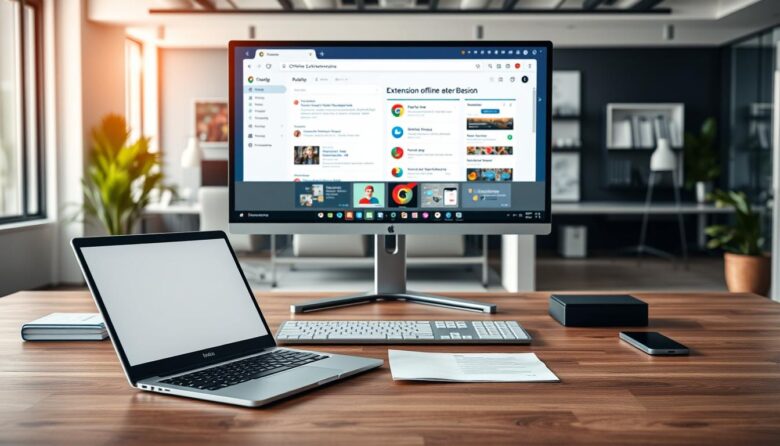
This article gives a clear plan for readers in the United States who need a reliable way to keep working, reading, and relaxing in google chrome when the internet drops. You’ll get practical steps to prepare ahead, because many useful offline tools require setup while you still have a connection. We explain built-in settings in …

This short guide shows a compact way to inspect interactive UI without breaking your flow. It covers the “zero-ui chrome tools focus mode” approach and why it helps when components hide on blur. Developers often lose time when a context menu or overlay vanishes as soon as DevTools is clicked. The Emulate a focused page …