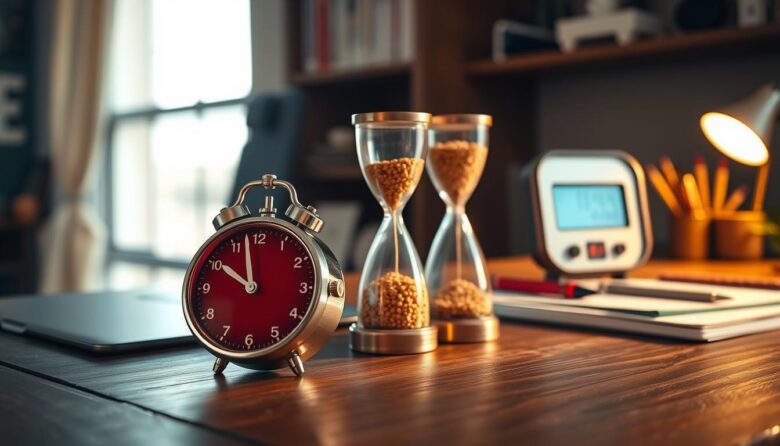
Analog tools beat app-based setups when you need fewer distractions and less tapping on your phone. A visible clock on your desk keeps time clear and steady. It removes the temptation to open a new window or check notifications during focused work.
Seeing progress in real time helps pace work and cut down on interruptions. Physical presence on the desk anchors each session and reduces the chance a quick check turns into a long detour.
We’ll look at products that range from visual-disk models to dual-display Pomodoro units and elegant analog clocks. Expect honest emphasis on durable design, repairable parts, reduced plastic use, and readable displays that sit in your peripheral vision all day.
Examples include a rice-husk blended plastic case, lens-free faces for easy repair, a silent run with optional alerts, and a brand that donates part of sales to tree-planting. You’ll find options that perform reliably, fit varied desks, and help hit deadlines without the friction of switching back to an app.
Why Retro-Style Timers Beat Apps for Focus in the Present Day
A simple, desk-based clock can protect an uninterrupted hour better than any notification-filled app. Physical devices remove the feeds and pings that turn a quick check into a long detour.
Fewer distractions, stronger visual cues, better task boundaries
When timing lives off the phone you avoid alerts and social feeds that hijack attention. A visible display sets a clear start and stop for each task, so you guard the hour you planned.
High-contrast digits, shrinking disks, or flip cards act as gentle prompts. They sit in your peripheral window and show progress without demanding clicks or swipes.
Phone-free timing reduces context switching and mental load
Every app interaction stacks micro-decisions. That adds mental friction and slows deep work.
A purpose-built device cuts choices to one glance or a single dial. Desk-based timing also nudges better posture: you look up, check remaining time, and return to focus.
For many workflows—writing, coding, financial review—less interaction is better. Fixed presets and tactile controls launch sessions fast and keep you on task.
How We Chose the Best Products for This Roundup
We compared products by how clearly they show remaining time and how little they demand from the user.
Time management effectiveness
We tested alerts, interval presets, and session flow to confirm useful time management. Each device had to offer clear minutes, simple intervals, and repeatable sessions without a phone.
Design, desk footprint, durability, and everyday usability
We measured display legibility from a seated view and checked footprint for small desks. We inspected materials, noting where a product uses less plastic or allows easy repair.
Controls had to be tactile and predictable. We favored units that stay on a desk, do not wobble, and switch modes fast during daily usage.
Value factors: price, shipping, bundles, and guarantees
Price alone did not decide placement. We weighed free shipping thresholds, bundle savings, and return guarantees to judge overall value.
Alarm types and volumes were tested in shared-room setups to balance noticeability with respect for others. The goal: better focus and simpler time management for real work sessions.
Top Picks at a Glance: Work Modes, Visual Cues, and Desk Fit
The shortlist groups three clear formats so you can pick by how you like to watch time. Visual-disk countdowns show shrinking color for an instant read. Dual-display models switch between work and break modes. Analog flip units give a tactile, minute-by-minute cue.
Silent operation for shared rooms
All top picks run quietly or offer low-noise settings. That keeps focus without disturbing a roommate or an open office. Silent mode helps you use the device in a meeting space or studio.
Power, size, placement
Look for USB-C or AAA power options and magnetic mounts for metal boards. Compact size choices preserve desk footprint while keeping the display visible from a seated view.
Design, display clarity, and durability
Choose large LCDs if you want screen-like clarity or analog faces to avoid blue light. Many selections reduce plastic in favor of durable materials and easy repair. Check shipping and bundle offers in product details to get value without sacrificing build quality.
Time Timer RETRO Eco Edition: Sustainable Design with Research-Proven Focus
For people who want clear, screen-free pacing, the RETRO Eco Edition blends plant-based materials with a proven visual design. This model keeps sessions simple on a busy desk and supports longer use with repairable parts.
Shrinking disk for instant progress checks
The colored disk visibly shrinks as minutes pass, giving a fast visual cue that removes the need to check a phone. That non-verbal read helps reduce anxiety and keeps focus during work and study blocks.
Built to cut waste and last
The shell uses more than 20% rice-husk plant by-product, trimming plastic weight by over 45% versus similar visual devices. An open-face, lens-free disk makes simple repairs possible so people replace parts, not the whole unit.
Quiet operation with a tidy alert option
The unit runs without loud ticking and offers an optional end-of-time alert that neatly ends sprints. A slot holds up to two Time Timer Dry Erase Activity Cards to keep tasks visible on the device itself.
Desk clarity and real-world use
The open-face layout cuts glare and keeps the shrinking disk readable from standard seating. This timer suits deep work, study sessions, and short meeting sprints where a clear countdown helps everyone stay aligned.
Durable mechanics, easy repairability, and a 1% sales donation to the Making Time for Trees initiative add environmental and practical reasons to choose this model.
Dual-Display Pomodoro Timer: Automatic Focus-Rest Sessions for Work Sprints
A compact dual-display timer removes guesswork by showing separate Focus and Rest readouts and switching between them for you.
Auto-switch between work and break modes to limit distractions
The unit flips automatically from Focus to Rest so you keep flow without manual resets. That hands-off switching cuts small interruptions and guards longer sprints.
User-friendly tactile dial with customizable minutes and seconds
A tactile dial sets minutes and seconds quickly. Presets launch common session lengths fast, and fine adjustments let you tailor intervals for writing, coding, or analysis.
USB-C or AAA battery power, compact size, and magnetic mounting
Power options include USB-C or three AAA cells for portability. Built-in magnets let you mount the device on a board at eye level, and the small size stays readable on any desk.
Pricing, bundles, free shipping thresholds, and 100-day guarantee
This product is priced from $26.59 single, with two- and three-pack discounts up to 40% off. Orders over $50 get free shipping; otherwise shipping is $8.99. A 100-day guarantee reduces risk and simplifies trials.
Preset sessions, clear screens, and simple controls make this the best pick for people who want guided routines and better time management without opening an app. Consider a two- or three-pack to save more and sync sprints with a partner or team.
TimeMatrix CCT Desk Clock: Countdown, Calendar, and Temperature in One Display
The TimeMatrix CCT puts clock, calendar, and climate data on one high-contrast screen so you stop switching apps. Its large LCD shows time, date, weekday, and room temperature in a single glance to lower context switching during work.
Clear LCD for time, date, weekday, and room temperature
The display uses bold digits and high contrast to stay legible from common desk angles. You can switch between 12- and 24-hour formats via front-panel controls for straightforward usage.
Dedicated countdown for 15/25/45-minute tasks and standups
A built-in countdown offers presets at 15, 25, and 45 minutes—ideal for Pomodoro-style blocks, quick reviews, and team standups without a phone. The unit includes a firm but office-friendly alarm and an integrated alarm for top-of-hour prompts.
Best practice: place the clock slightly off bright light to avoid glare and write the target task beside it so the alarm marks a clean stop. The stable stand keeps digits readable whether seated or standing and the seconds precision is available when needed.
Time management improves when remaining minutes are visible. The added room temperature readout helps you notice comfort shifts that affect focus. For a desk companion that combines countdown, calendar, and environment at a glance, the TimeMatrix CCT is a practical choice.
JadeEdge 7 Glass Clock: Personalized Engraving as a Motivational Visual Cue
The JadeEdge 7 blends sculpted glass and subtle color to make timekeeping feel intentional on any work surface.
A square glass body with jade-tinted accents gives this piece a refined look that suits both home and office. Its compact form fits most desks and shelves while remaining visible from across a room.
Engraving turns the face into a lasting motivational visual cue. Add a name, milestone, or short goal to reinforce daily intent without digital noise.
Quartz movement and a clear second hand provide steady, accurate time checks between tasks. The built-in alarm offers a light reminder for session boundaries or meeting prompts without opening an app.
Setup is simple: insert one AA battery and place the clock where you can see it while you work. Its reflective, premium finish often increases attachment, helping the piece become part of a consistent routine.
While it does not include a countdown, pair the JadeEdge 7 with a separate unit for interval needs. This model best suits professionals who value design and subtle, goal-focused cues at their desk.
DiamondLux 13 Mirrored Clock: Quiet Movement for Distraction-Free Desks
The DiamondLux 13 brings understated glamour to a home office while keeping interruptions to a minimum.
Its mirrored frame with crushed-diamond insets elevates the desk look without adding visual noise. The refined design lifts the room while staying calm and unobtrusive.
The movement is fully silent and non-ticking, so one common source of distractions fades from small work areas. A clear analog face with Roman numerals makes quick time checks easy and glanceable.
At about 13.2 by 11.8 inches, the size fits compact desks or a nearby shelf where it stays in your field of view. The reflective surface can also cue posture and presence, which some users find helps sustain attention during long sessions.
Note: this is not a precision countdown tool and lacks session prompts. Pair it with a separate timer if you use interval-based work.
Durable mirrored finishes clean easily with a soft cloth. For professionals who want elegance and quiet awareness rather than screens or alerts, the DiamondLux 13 supports steady, distraction-free time awareness and uplifts the workspace.
RegalVista Vintage Ceramic Desk Clock: Stable Base, Classic Look, Calm Focus
The RegalVista blends classic design with quiet mechanics to make timekeeping feel intentional. Its bell-style ceramic body and alloy accents create a refined look that reduces visual clutter in quiet rooms.
The silent quartz movement removes ticking interruptions so deep thinking can continue uninterrupted. A high-transparency mirrored glass face and clear hands let you check time at a glance without shifting attention.
The heavy base resists tipping and cable drags, which makes the clock dependable on active desks or shared work surfaces. Place it in your peripheral view so awareness stays steady without conscious checking.
RegalVista suits users who prefer analog presence over audible alarms; pair it with a small countdown tool if you need session prompts. Its refined finish complements both home and office décor and becomes a lasting fixture rather than a disposable gadget.
Care is simple—regular dusting keeps the ceramic and alloy accents looking premium. The outcome: a calm, continuous cue that supports focus and overall productivity while keeping your workspace elegant.
FlipEdge Transparent Flip Clock: Retro Page-Turner Timing with Subtle Alerts
The FlipEdge flips minutes with a soft, tactile motion so each change becomes a tiny cue that keeps you aware of passing time without a jolt.
The clear housing exposes gears and the number plates, turning the mechanism into a visible reminder of progress. Seeing the parts move reinforces presence while you stay focused on work.
Each minute-turn offers a quiet sensory moment rather than a loud alarm. The built-in discreet alarm serves as a light reminder for breaks or session ends in quieter settings.
Its minimalist footprint and stable stance fit near a monitor or on a small desk so a flip is always in sight. It lacks a formal countdown, so pair this piece with a small digital timer for interval needs.
Durable construction keeps setup and maintenance simple. Experiment with a slight angle so flips sit in your peripheral view; those small cues add up to better on-time finishes and steadier pacing across hours.
FlipCalendar 9: Year-Month-Day Flip Display for Date Awareness without Apps
The FlipCalendar 9 uses large flip panels for year, month, day, and weekday so the current date stays visible without unlocking a phone. This simple display reduces needless app opens and trims context switches during focused work.
Panels are legible from a normal desk window of view. The bold number and month plates read clearly from a seated position, so you check the day with a glance instead of shifting posture to a screen.
Movement is silent and the base is sturdy. The unit stays steady on shelves and compact desktops at home or in the office, and it won’t rattle during small desk tasks.
Each tactile flip acts as a monthly marker, nudging attention to longer timelines and milestones. This makes it useful for billing cycles, editorial calendars, and project checkpoints.
The FlipCalendar 9 is not a countdown timer. Pair it with a small interval device for session work while the calendar handles always-on date visibility. Non-digital construction means fewer failures and no app updates to manage.
Place it where you check dates most often so the number panels remain readable. Physical visibility keeps your time anchored and reduces temptation to open distracting apps.
RetroWood Mantel Clock: Timeless Analog Presence for Screen-Free Time Management
The RetroWood Mantel brings a grounded, handmade presence to any desk while keeping time easy to read.
Its vintage-inspired wooden case and silent quartz movement create a calm look that fits both home and office. The heavy base keeps the clock planted during busy work moments so it won’t slip or tip over.
The face uses clear hour and minute markers for fast glances. That simple layout reduces friction when you check the hour and helps maintain steady pacing across tasks.
Finish and wood grain are durable and scratch-resistant, so the piece feels like part of the room rather than a disposable gadget. For explicit sessions, pair the mantel with a small interval timer to add alarms or countdowns.
Placed slightly above eye level, the RetroWood Mantel nudges awareness without breaking concentration. Its analog presence can lower perceived pressure compared with blinking screens and supports calm, focused work.
retro-style productivity timers: Which One Fits Your Tasks, Rooms, and Routines?
Match the device to how you actually work. Think about your room, desk layout, and the kind of sessions that help you get things done.
For deep work sessions: countdowns, optional alarm, and silent modes
Choose a countdown device with a silent mode if you need long, uninterrupted focus. An optional end alarm should be subtle and adjustable to respect shared rooms.
Visible intervals help enforce strict starts and stops. If your needs demand strict pacing, pick a model with clear minutes and a tactile dial.
For multi-task days: dual displays, visible intervals, and quick adjustments
If you juggle many tasks, dual-display units shine. They show separate work and rest readouts and let you switch modes fast.
Quick adjustments keep momentum across changing priorities and reduce the time spent fiddling with settings during busy work blocks.
For aesthetic setups: analog designs that anchor attention without alerts
Analog pieces give a steady visual cue without sound. They suit client-facing rooms or shared spaces where subtlety matters.
Consider footprint, mounting options, and whether the device sits in your sightline. The best choice is the one you use every day.
Set Up for Success Today: Smart Placement, Usage Tips, and Mistakes to Avoid
Place your timing device where you actually look—near your screen but not in its glare—to make focus easier from the first sprint. Small placement tweaks change how often you check the display and how smoothly sessions flow.
Keep displays within your visual window and away from glare
Set the unit slightly off-center from the monitor and out of direct light. That preserves contrast and keeps the numbers readable without leaning forward.
If you mount with magnets, test height and angle so the display reads easily when seated or standing.
Pair timers with written task cues to end sessions cleanly
Write one action line for each block and place it beside the clock. When the alert sounds, close the task or note the next step to avoid drifting.
For countdown models, pre-set go-to intervals so a single press starts the session with minimal friction.
Mind alert volume and choose modes that fit your room
Tune the alert so it matches the space: subtle in shared rooms, firmer when you work alone. Avoid cranking volume too high to prevent stress or distraction.
Revisit placement weekly and adjust intervals or block length if fatigue grows; small changes keep usage sustainable.
Bring Back Focus Now: Choose Your Timer, Start Your First 25-Minute Sprint
Choose a device near your monitor and begin a 25-minute sprint to feel the shift in focus. Pick the one that fits your desk and run two focused sprints with a short break between them.
Many products offer bundle pricing and free shipping thresholds, so you can outfit team desks without extra cost. Check shipping deals and compare bundles before you buy.
Write one top-priority task before you start. Use automatic modes or clear visual cues to remove decision fatigue and keep your attention on the work. Log how each sprint felt and adjust intervals tomorrow if needed.
Share results with a colleague to build accountability, or treat this as a test in a new window of practice. A small investment in a dedicated timer can deliver outsized gains in productivity.