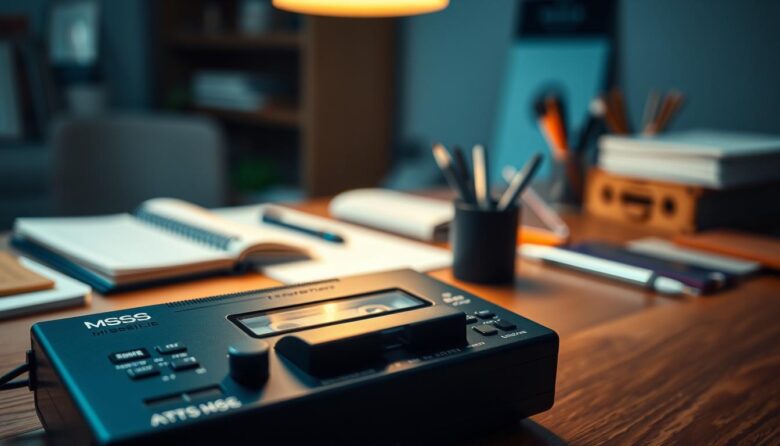
The compact cassette began at Philips in 1963 as a simple speech format at 1.875 ips. By the 1970s, decks gained manual level controls, VU meters, and wider appeal. Advances like Dolby noise reduction, HX Pro headroom, and three‑head monitoring made tape reliable for everyday capture.
Today, a single‑purpose recorder can lift focus by removing app distractions. The tactile process of pressing real buttons, watching VU meters, and tracking a visible counter turns capture into measured time, not endless tabs.
This guide previews practical steps: choosing a portable unit or a component deck, basic maintenance of heads, capstan, and pinch roller, and workflows that turn short analog clips into clear actions. You’ll see how format constraints push briefer, clearer notes and scheduled playback that reduces context switching.
We’ll also cover hybrid options: digitize key clips and apply selective transcription to create searchable indexes. The goal is consistent, usable audio capture for professionals, creatives, and researchers—not audiophile perfection, but fewer lost ideas and faster reviews.
The surprising return of the cassette: why analog helps deep work
Many professionals are rediscovering tape for focused sessions that resist digital interruptions. The compact cassette began as a dictation format in 1963, yet over the years it evolved into a credible audio and music medium thanks to improved formulations and noise reduction.
The market embraced physical media for portability and immediacy from the Walkman in 1979 through the 1990s. That history left intuitive controls—transport buttons, VU meters, counters—that still cue users into a simple ritual before work.
Linear playback and fixed running time impose limits that help planning. A sided format forces concise recording and reduces the temptation to endlessly re-edit notes during meetings or solo sprints.
On a dedicated device there is no app switching, which lowers context switching costs and decision fatigue. This makes analog capture a practical complement to digital workflows rather than a wholesale replacement.
Beyond nostalgia, the mature ecosystem and familiar behavior make the learning curve small. Used purposefully, tape can restore focus and deliver clearer, action-ready audio without chasing audiophile perfection.
How cassette-style recorders boost focus and productivity in practice
A single-purpose tape workflow turns scattered thoughts into clear, timed segments. The approach replaces app clutter with a tactile loop that nudges users to act fast and listen with purpose.
Reducing digital distractions with single-purpose tools
One dedicated cassette and a record/stop button cut the urge to check messages. With no notifications, capture quality rises and later playback becomes more useful.
Cognitive benefits of tactile, linear workflows
Physical controls, a rolling counter, and VU meters form a simple feedback loop. Users record short topic blocks, mark sections verbally, and schedule brief review slots to extract actions.
Linear transport — driven by a capstan and pinch roller — keeps speed steady. That constant motion and finite tape length help with timeboxing and clearer decisions.
Use a labeled cassette per project, add short ambient silence at chapter edges, and build a daily cycle: record, review, act. The modest sound needs favor intelligibility over hi‑fi, so content stays the priority.
Choosing the right tape recorder for productivity goals
Choosing the right tape unit starts with matching the device to how and where you work. Decide if you need mobility for field notes or a stable machine for desk review before you shop.
Portable dictation vs. component deck
A portable recorder fits pockets and battery operation, so field researchers and interviewers gain flexibility. Its small size makes it easy to carry and use on the go.
A component tape deck offers a robust transport, larger meters, and ergonomic controls. Use a deck at your desk for long sessions and precise level setting.
Prioritize durability, ergonomics, and reliability
Choose clear buttons, a readable counter, and a secure cassette door. Test one‑hand operation and tactile feedback to avoid missed starts in busy work.
When auto-reverse and three‑head systems matter
Auto-reverse helps long, uninterrupted runs; manual flip creates natural breaks for action planning. Three‑head designs let you monitor off‑tape playback and catch level issues early, saving rework in high‑stakes meetings.
Understanding the mechanics: heads, capstan, and pinch roller
Understanding the tiny components under the cassette door reveals why speech either reads cleanly or needs repeating. Mechanical precision directly affects how well recorded notes convert into usable content.
Record, playback, and erase: the signal path
The erase, record, and playback heads form a simple write‑then‑read chain. A record head is a small electromagnet; the audio flowing through its coil creates magnetic flux at the head gap and imprints the tape’s oxide.
On playback the changing magnetic field across the same gap (or a separate gap in three‑head decks) induces a tiny signal in the coil for amplification. Clean, aligned heads keep that signal strong and speech intelligible.
Capstan precision and the pinch roller at 1.875 ips
The capstan provides constant velocity while the pinch roller presses the tape to it. That pinch action keeps speed steady at 1.875 inches per second so words don’t blur from wow or flutter.
Head gap size and azimuth alignment matter too: the tiny opening and correct angle preserve highs across stereo tracks. Check the pinch roller for glazing or flat spots—worn rubber causes slipping, level pumping, and garbled audio.
Learning the tape path—guides, capstan, roller and heads—lets you spot grime and fix minor transport hiccups fast. A clean, steady path means fewer replays, easier transcription, and more reliable session outcomes.
Set up your deck for clear recordings and efficient playback
Small setup steps make a big difference when you want usable audio fast. Mid‑1970s decks added manual level controls and VU meters for this reason: they put control in your hands. Spend a few minutes on cleaning and level checks before a long session to avoid rerecords and wasted time.
Head cleaning, demagnetizing, and alignment basics
Establish a routine to clean heads and guides with isopropyl alcohol and swabs. Clean heads keep midrange clarity and reduce repeat listens.
Demagnetize at intervals to lower residual magnetism that dulls highs. Learn basic alignment—azimuth and head height—to improve playback clarity on tapes from other machines.
Inspect the pinch roller and capstan for debris; buildup can cause speed drift and smear sibilants, making transcription slower.
Level setting with VU meters and avoiding saturation
Use VU meters to set levels. Aim for consistent peaks below saturation to keep consonants clear and avoid pumping or distortion.
Record a short test at the start of each cassette to confirm channel balance and noise levels. Three‑head decks let you monitor off‑tape and verify levels in real time.
Keep the deck stable to prevent vibrational noise. After recording, rewind and play a brief spot to verify the capture before you leave the room.
cassette-style recorders productivity: a step-by-step workflow
Start each session by mapping topics to tape sides and timing slots before you hit record. A short plan keeps work focused and prevents overlap between projects.
The compact cassette has two reversible sides and many decks offer auto-reverse. Use that to run longer sessions without handling the shell. Standard speed of 1.875 ips gives good speech clarity and long running time for notes.
Plan, record, review, and action: the analog cycle
Outline topics on paper and assign a side or segment to each project. Record short, titled blocks and say the topic aloud at the start. This verbal index speeds later scanning.
During playback, note timestamps and decisions with named owners. Convert those timestamps into calendar holds immediately. Block time while context is fresh to cut backlog buildup.
Daily tape indexing and timestamp habits
Label the cassette spine and case with date, project, side, and a brief index. Keep a one‑page system index per cassette with minute markers and short summaries.
How to capture meetings, brainstorms, and voice notes effectively
Capturing clear meeting audio starts with simple placement and a short pre-check before you press record. Early portable models used built‑in mics and automatic gain control; later units added manual gain and VU meters to give you more control over the signal.
Mic placement, gain staging, and room considerations
Place the mic centrally for group meetings or move closer for single voice notes. Avoid setting the unit directly on hard surfaces to reduce thumps and mechanical vibration.
Set gain so peaks hit safe VU targets during loud moments. Keep headroom to prevent clipping consonants and sibilants that make transcription hard.
Minimize room reflections by choosing softer, less echo‑prone spaces. Closer mic placement and soft furnishings drastically improve intelligibility.
Real-time markers and verbal indexing for quick scanning
During brainstorms, call out “Marker” and a brief descriptor when topics shift. These verbal index points make playback scanning fast and accurate.
Use stereo capture if available to give subtle spatial cues between speakers. Encourage one person to speak at a time; overlapping talk slows review and obscures the signal.
Start each session with 10 seconds of room tone and a test phrase to confirm levels. End by stating a short summary and action list on tape so outcomes are embedded with the recording.
From tape to tasks: turning recordings into outcomes
Make each playback session an opportunity to convert recorded ideas into specific tasks and calendar commitments. Use the session to decide, assign, and schedule rather than to passively listen.
Creating actionable notes during playback
When you play back a segment, pause at every verbal “Marker” and write a one‑line decision. Note the minute:second using the deck counter so context is easy to find later.
Keep a short template: Topic, Timestamp, Decision, Action, Owner, Deadline. Log each entry into your system or team notes immediately to avoid loose follow‑ups.
If a passage is unclear, flag it for re‑listen instead of looping. Three‑head decks let you monitor off‑tape and confirm usability before you wrap the session.
Time‑blocking playback sessions for decision‑making
Block dedicated time on your calendar and treat playback like a meeting. Reserve the last five minutes to convert notes into calendar items so actions are committed to specific time slots.
Share a short index of timestamps and decisions with teammates after playback to keep everyone aligned. Use the cassette spine and a simple system index to map key outcomes back to the physical tape for quick reference.
Sound quality essentials for productivity (not perfection)
Good voice capture is more about consistent clarity than chasing hi‑fi benchmarks. Aim for clear mids, low background hiss, and steady pitch so speech stays intelligible over long listens.
Signal‑to‑noise, wow & flutter, and a practical “good enough”
Define “good enough” as readable mids, an acceptable noise floor, and minimal wow and flutter so words do not tire the listener. On top decks wow and flutter could be below 0.05%, but for spoken word a steady midrange matters most.
Manage signal by setting gain so voice peaks well above tape hiss, and keep heads clean to avoid added noise. Treat wow and flutter as pitch instability; maintain belts and capstan to prevent warbling that hides consonants.
Dolby B/C/S and HX Pro: when to use noise reduction
Dolby B typically cuts high‑frequency hiss by about 9 dB and is fine for everyday speech without forcing special playback. Dolby C (and S on high‑end decks) give greater noise reduction but work best when tapes stay on matched machines.
HX Pro boosts headroom during recording so you can push levels for clearer consonants while remaining compatible on playback without a decoder. Test a one‑minute sample with your chosen setting before long sessions, and favor clear, consistent captures over heavy processing.
Picking the right cassette tape: ferric, chromium dioxide, and metal
Selecting the right tape material makes a big difference for spoken-word clarity. Different formulations change highs, headroom, and how a deck reacts to bias and EQ.
Type I vs. Type II vs. Type IV for spoken word clarity
Type I ferric is reliable and forgiving. It works on most decks and gives dependable midrange clarity for speech.
Type II (chromium dioxide) extends high frequencies for a slightly crisper top end. It needs higher bias and different EQ, so confirm your deck supports chromium dioxide or has a matching bias switch.
Type IV metal offers the most headroom and lowest distortion when your deck can drive it. Metal tapes still play back with Type II EQ on many machines, but require higher bias during recording.
Tape length, shell quality, and durability considerations
Pick moderate lengths like C60–C90. Very long, thin tape can stretch and risk dropouts during critical sessions.
Choose shells with smooth guides and solid construction. Better materials reduce friction, shedding, and transport noise over repeated use.
Match tape type to deck capability and keep a consistent format across your workflow. Label both the cassette and case with type and length, and always test a short sample from a new brand or batch to check tone and background noise before long sessions.
Speed matters: when to use 1.875 ips versus 3.75 ips
Deciding between 1.875 and 3.75 inches per second changes both clarity and session planning. Pick a speed with the session goal in mind: long meeting notes or a short, high‑clarity briefing.
Balancing fidelity, recording time, and intelligibility
Use speed 1.875 (4.76 cm/s) as the default for speech. It balances intelligibility with generous recording time per side for meetings and quick voice memos.
Choose 3.75 ips when you need better highs, lower noise, and steadier pitch for soft voices or critical briefings. Higher speed improves signal‑to‑noise and makes wow and flutter less audible, aiding comprehension during dense discussions.
Remember the trade‑off: faster speed roughly halves available record time. Plan side changes or keep spare cassettes on hand to avoid interrupted captures.
Test voice intelligibility at both speeds on your deck. Room acoustics, mic placement, and tape type will affect the best choice. Standardize speed across your library and mark tapes clearly to prevent unusable playback.
Maintenance habits that keep your tape system productive
Routine care of the transport and heads prevents small issues that interrupt important sessions. A short weekly check keeps belts, capstan, and pinch roller working at steady speed.
Clean heads and guides with isopropyl alcohol and lint‑free swabs. Inspect the pinch roller for glazing and remove residue from the capstan to avoid speed drift.
Replace belts proactively when you notice slow starts, uneven winding, or slips. Logic control decks offer fail‑safes, but worn parts still cause failures if left unattended.
Store cassettes in cases away from heat and magnets to prevent print‑through and accidental erasure. Fast‑forward and rewind new or long‑stored tape once to even pack tension.
Keep gear in a dust‑free spot and log maintenance dates on a simple checklist. Train every user on proper loading and handling, and keep spare pinch rollers and belts for critical systems.
Bridging analog and digital: hybrid workflows that scale
A small, repeatable transfer routine lets you keep analog capture and still make clips searchable. Treat tape as the primary capture format and digitize selectively so the ritual stays intact.
Use a stable player and a simple interface to transfer only decision‑dense clips. Some duplication decks (for example, units with independent I/O or cascade logic like the TASCAM 302) make batch transfers efficient. Dolby HX Pro helps here because it needs no decoder on playback, simplifying digitization.
Digitizing key clips for search and sharing
Transfer short segments that contain actions, owners, or deadlines. Keep the original cassette as the master and treat digital files as working copies.
- Use a reliable player with clean heads and steady speed for better audio for transcription.
- Standardize filenames and metadata to mirror cassette labels, sides, and timestamps.
- Choose a line‑level interface to avoid clipping during conversion.
Using AI transcription without losing analog focus
Feed clipped files into AI transcription to create searchable text, then spot‑check timestamps for accuracy. Batch transcribe only what the team needs to find or share.
Keep your hybrid system small: one player, one interface, and a clear folder format. Document when to digitize, how to label, and where to store files so others can follow the same process.
Advanced deck features that actually help you work
Some features on higher‑end decks directly reduce retakes and speed review, not just add specs. Choosing useful tech keeps sessions efficient and makes tape a reliable capture system.
Three‑head monitoring and bias calibration in context
Three‑head designs separate record and playback gaps so you can monitor off‑tape in real time. That lets you catch mic level or clarity issues during the take, saving time later.
Bias calibration, whether automatic or manual, optimizes the record chain for the tape type. Correct bias raises headroom, cleans mids, and makes speech easier to transcribe.
Auto‑reverse and logic control for uninterrupted sessions
Auto‑reverse systems range from four‑channel heads to rotating mechanisms. They keep long lectures running, but deliberate manual flips can force short review breaks when you need them.
Logic control and soft electronic switches protect the transport and reduce handling noise. A well‑designed tape deck with remote or light‑touch buttons improves reliability in live environments.
Pick features that support your workflow: HX Pro for healthier recording levels, easy azimuth access for quick tweaks, and smooth transports with return‑to‑zero indexing. Advanced technology matters only if you can service and use it daily.
Use cases from the field: dictation, research, and creative work
Experienced journalists and creatives still reach for a compact recorder when clarity and immediacy count.
Dictation works best with a small unit and a lapel mic. Capture client notes quickly, speak a short index, and label the cassette spine for fast lookup.
Field research favors durable recorders that run on batteries and need no network. Teams in remote sites use tape to collect consistent data without app distractions.
For creative writing, short voice sketches keep ideas fluid. Record brief scene notes, play them back, and turn promising clips into outlines or drafts.
Music ideation isn’t the main aim, but a cassette player is handy to check a melody or rhythm on the fly without opening a DAW.
Coaching, seminars, and product interviews benefit from linear capture. Controlled playback helps extract actions, protect attention, and yield clear customer insights for the market.
Use portable recorders as a companion to notebooks. Transcribe only high‑value clips and keep analog first for faster, more focused work.
Troubleshooting common issues: dropout, hiss, and alignment
Intermittent dropouts and hiss rarely need a full service; targeted troubleshooting usually helps restore usable signal and clear notes quickly.
Head clogging dulls highs and causes word loss. Clean the record and playback head with isopropyl and a lint‑free swab to recover high‑frequency detail and reduce dropouts.
Quick fixes for head clogging and tape path problems
If you hear intermittent loss of highs or words, clean the heads and guides; oxide buildup often causes signal dropouts and dull sound.
Persistent hiss may indicate low record levels or a deck/tape mismatch; recalibrate levels and confirm Dolby settings before reusing the cassette.
If the tape skews or scrapes, inspect guides and the shell; swap shells to isolate a damaged case or sticky guide.
Diagnosing speed drift: capstan, pinch roller, and belts
For warble or speed drift, inspect the capstan for residue and clean the pinch roller; replace belts if starts are slow or winding is uneven.
If the transport chews or stops, stop immediately, gently unwind, inspect the path, and test with a sacrificial tape. Logic control decks often include fail‑safes, but recurring faults signal a deeper maintenance need.
Keep a simple checklist in the case so you can resolve issues fast and keep decks in rotation.
Bring back clarity and momentum with a purposeful analog workflow
Using a simple tape workflow restores attention and turns ephemeral ideas into actions.
Legacy cassettes were staples in home and in‑car systems for decades. Mature tech like Dolby reduced hiss and 1.875 ips gave spoken audio dependable clarity and usable quality.
Adopt a plan‑record‑review‑act rhythm. Start small: one cassette, a labeled case, and a daily index will change how you use meeting time.
For teams, digitize only key clips and keep analog as the attention‑protecting core of the system. Timebox playback so decisions map to calendar slots and get done.
Maintain heads and transports; simple care preserves intelligibility and reduces rework. Pilot the method for two weeks and measure faster decisions, clearer capture, and less digital distraction.
.